Allow recipients to leave feedback
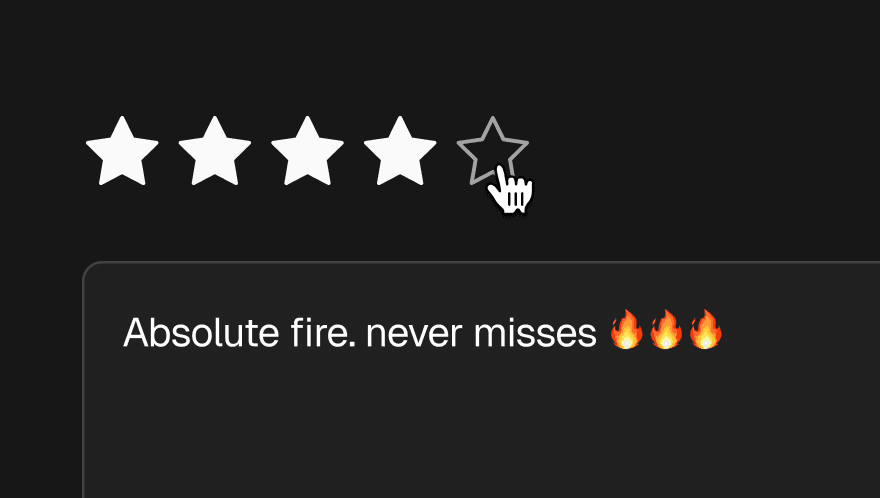
Understand exactly what DJs and tastemakers think of your music
Sending a promo is only half the story. Knowing whether people actually listened — and what they thought — is where the real value lies. Trackdrop's Feedback feature gives you a direct, structured line to the opinions of the people you're sending to, and a way to share those opinions with the artists you work with.
Requesting feedback from recipients
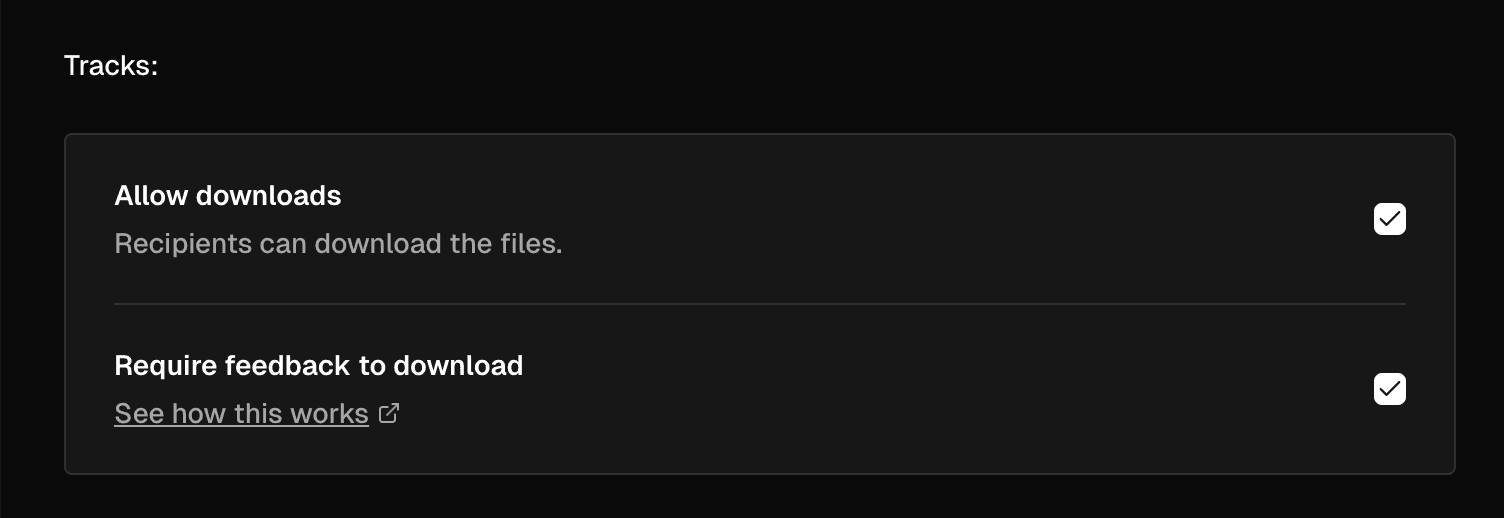
When creating a promo, you can choose to ask recipients to submit feedback. This is entirely optional, but for labels and artists who want genuine responses rather than silence, it's one of the most powerful tools on the platform.
If you want to go further, you can gate downloads behind feedback — meaning a recipient must submit their thoughts before they can download the tracks. This creates a meaningful exchange: recipients get the music, and you get the insight.
The feedback form (recipient experience)
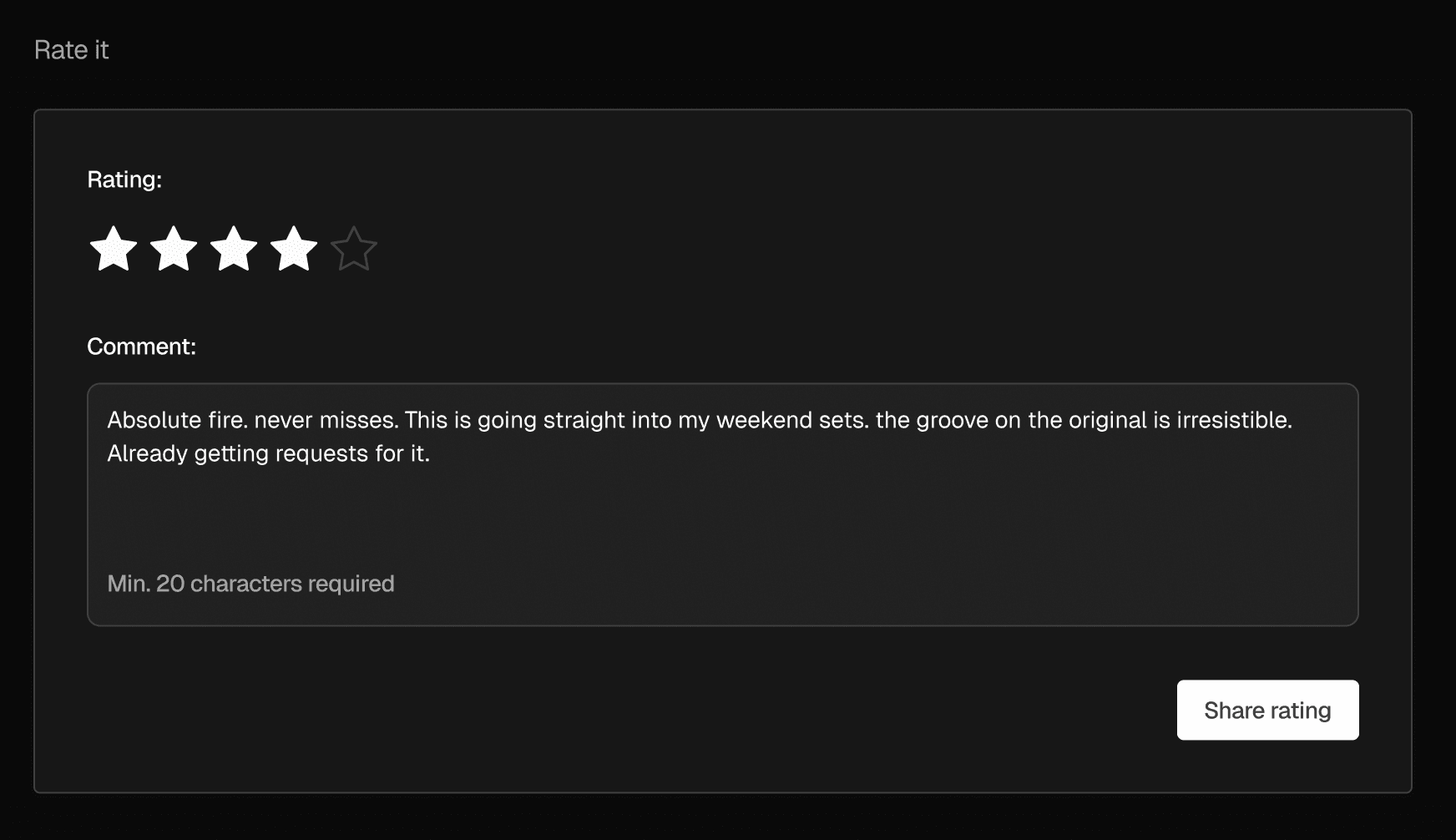
Recipients see a clean, simple form directly in the promo page. They're asked to:
Rate the release on a 1–5 scale
Leave a comment — at least a few words, so you get something substantive
Pick a favourite track (optional) — useful for releases with multiple cuts
Recipients can update their feedback at any time, so if their opinion changes after a few more listens, they can revise it.
Viewing your feedback
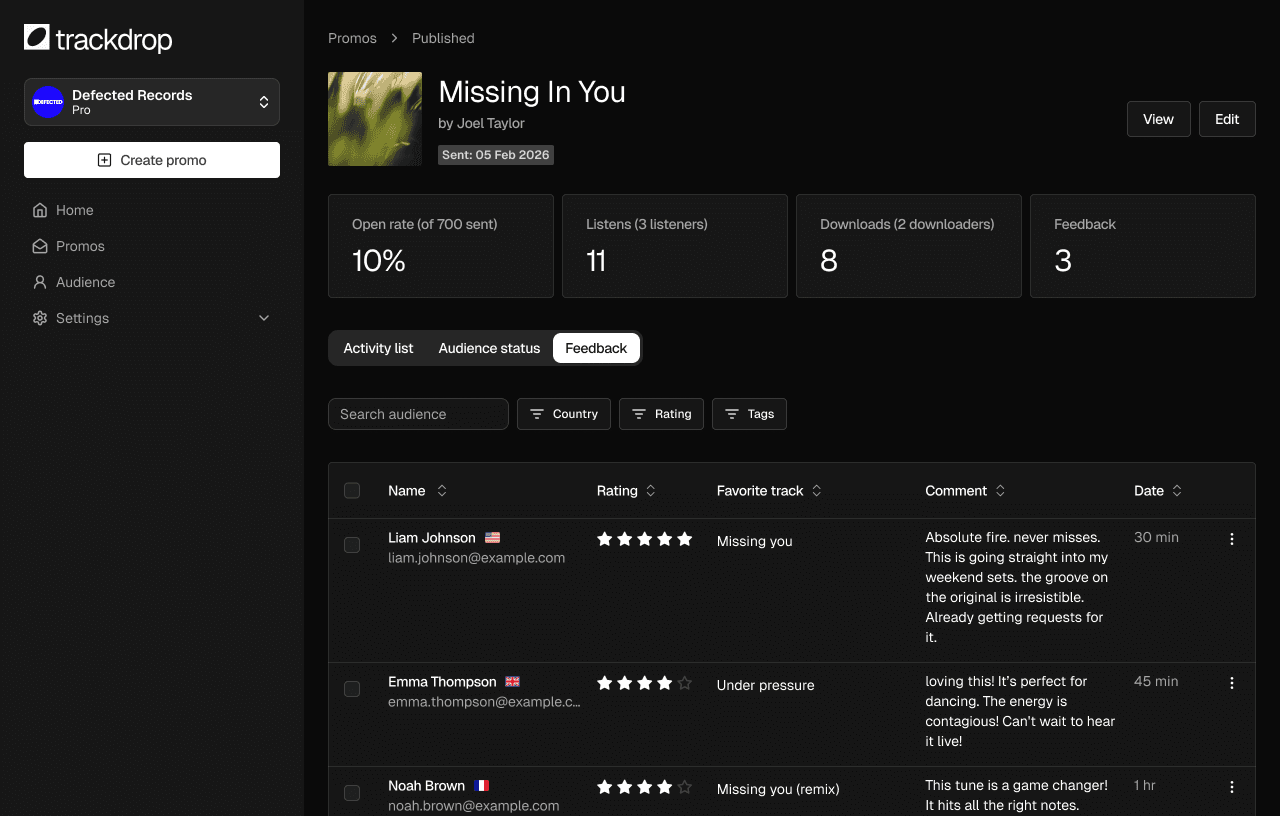
All submitted feedback is collected in the Feedback tab on your promo. You'll see each respondent's name, rating, comment, favourite track, country, and the date they submitted. You can filter by country, rating, or audience tag, and sort the list however is most useful to you. Individual feedback entries can be deleted if needed.
Sharing feedback with artists
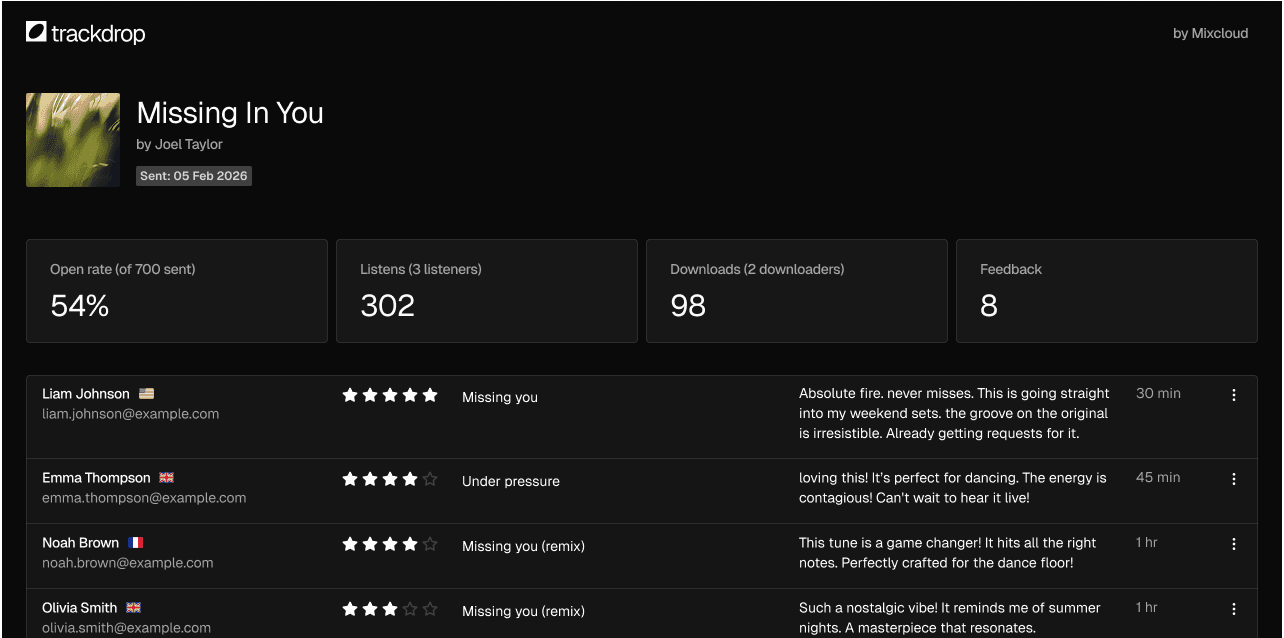
If you represent an artist and want to show them the response to their release, you can share the feedback as a public page — no login required. The page shows the promo artwork, key stats (emails sent, open rate, listens, downloads), and the full feedback table.
Just copy the share link from the Feedback tab and send it to whoever needs to see it.