Make your mailing list public

Grow your promo list with a shareable sign-up link
Your Trackdrop mailing list is no longer limited to contacts you add manually. You can now make your mailing list public and share a sign-up link anywhere; Instagram bio, Twitter/X, Linktree, your website, or wherever your audience finds you.
Anyone who clicks the link can subscribe to receive your promos directly.
How it works
Go to your Mailing List Access in settings
Toggle Anyone can join on and hit save
Copy your unique sign-up link
Share it wherever you like
New subscribers appear in your mailing list automatically.
You can do this here:
👉 https://app.trackdrop.com/dashboard/-/settings/mailing-list-access
Watch our step-by-step walkthrough
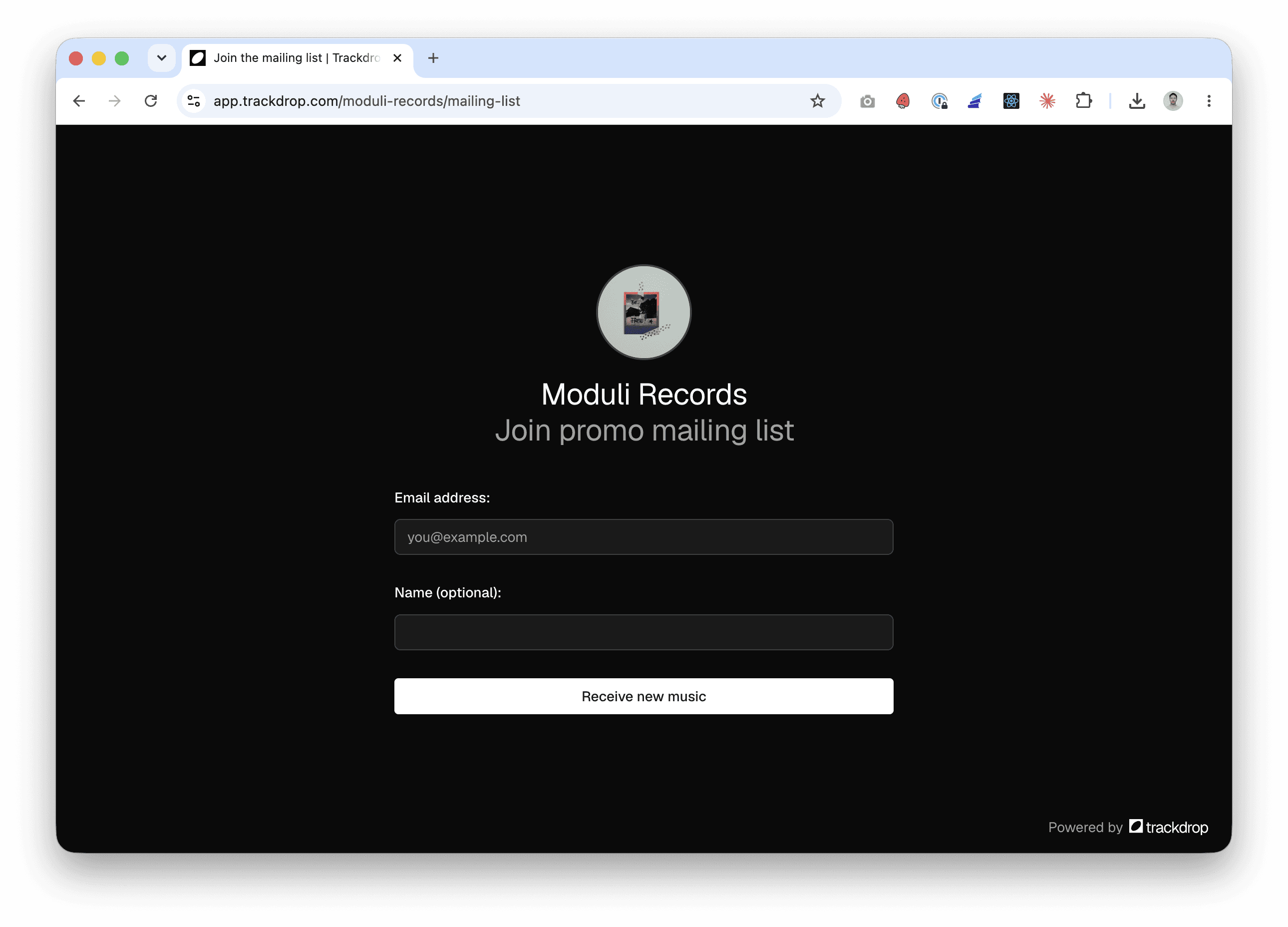
What the sign-up page looks like
Visitors land on a clean, branded page featuring your organisation avatar and name. They enter their email and, optionally, their name. To keep your list clean, sign-ups are confirmed via email — the new contact receives a message with both a magic link and a 6-digit code, either of which completes their sign-up. Only confirmed emails end up on your mailing list.
Seeing where your contacts came from
The Audience view now includes an "Added via" column that shows how each contact joined — public sign-up, CSV import, manual entry, or otherwise. You can also filter your audience by acquisition source, so you can see at a glance how much your public link is contributing to your list.