My organization
Joining a organization on Trackdrop
Trackdrop is built for record labels, artists, and promo teams who regularly send unreleased music to DJs, radio hosts, and curators.
If you've been invited to join an organization on Trackdrop, here's how to accept so you can get started with creating and sending your promos:
Via email link (for new and existing Trackdrop users)
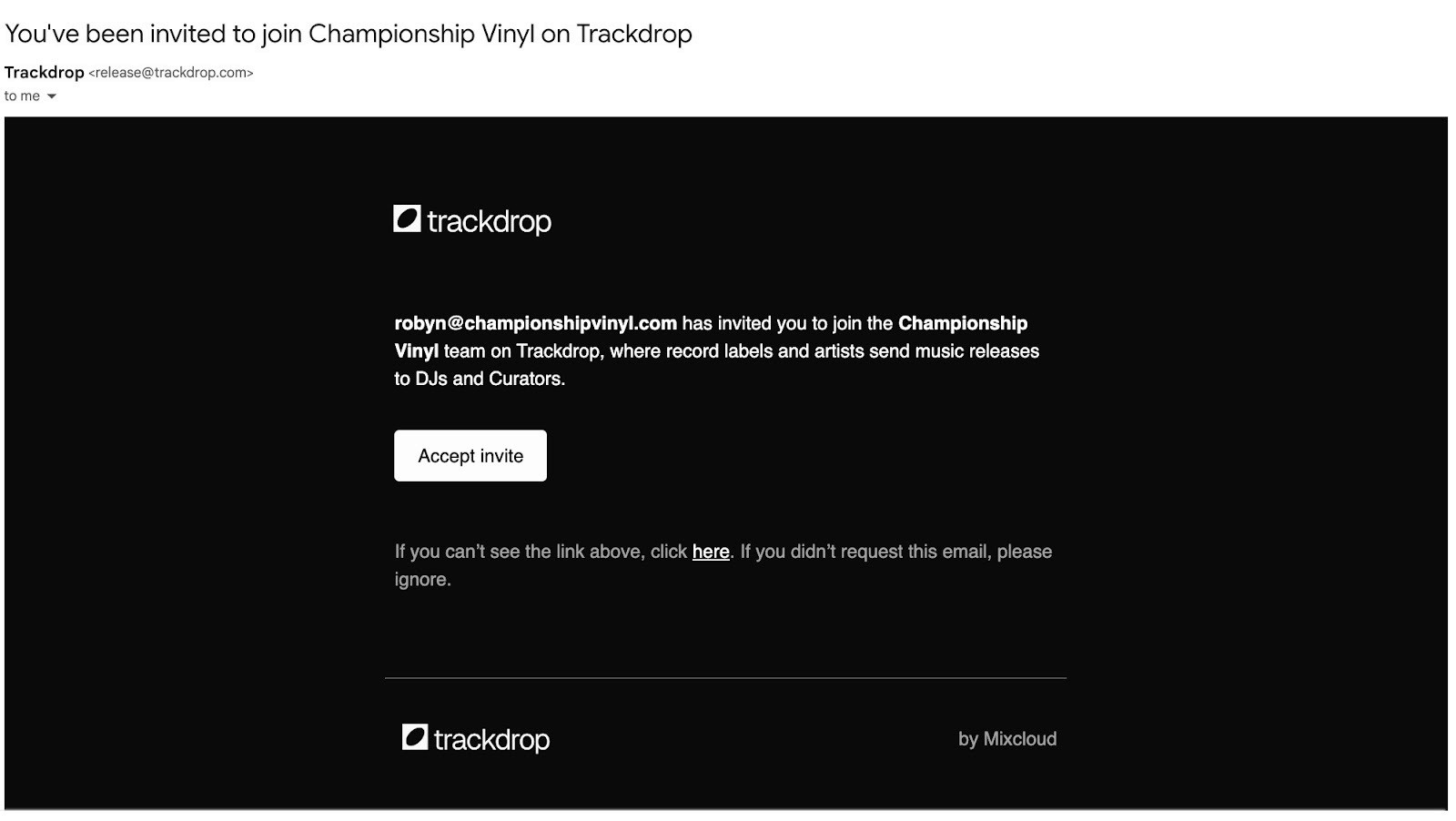
Check your inbox
Look for an email with the subject: "You've been invited to join [Organization Name] on Trackdrop" from release@trackdrop.com
The email shows who the sender is, and which organization you’ve been invited to join.
If you can’t find the email in your inbox or spam folder, please ask your admin to resend, or try these troubleshooting steps.
Click Accept invite
Alternatively, click the link in the text beneath the button.
You’ll be redirected to Trackdrop
If you're already logged in, the invitation is accepted automatically.
If you don't have an account yet, one will be created for you using the email address that the invite was sent to.
Welcome to your team!
You’re all set up and ready to collaborate with the other members in your organization! Check out how to send a test promo [Link to 'Sending a test promo'], how to view stats [Link to 'Accessing promo stats'], or how to add more members [Link to 'Inviting members to your organization'].
Via your Trackdrop account (existing users)
Already logged in? You can also accept invitations from within Trackdrop:
Find your invitation
Click your team name on the menu on the left.
Click Invitations in the drop-down menu.
You’ll be redirected to https://app.trackdrop.com/dashboard/your-username/invitations, where you can view your pending invitations:
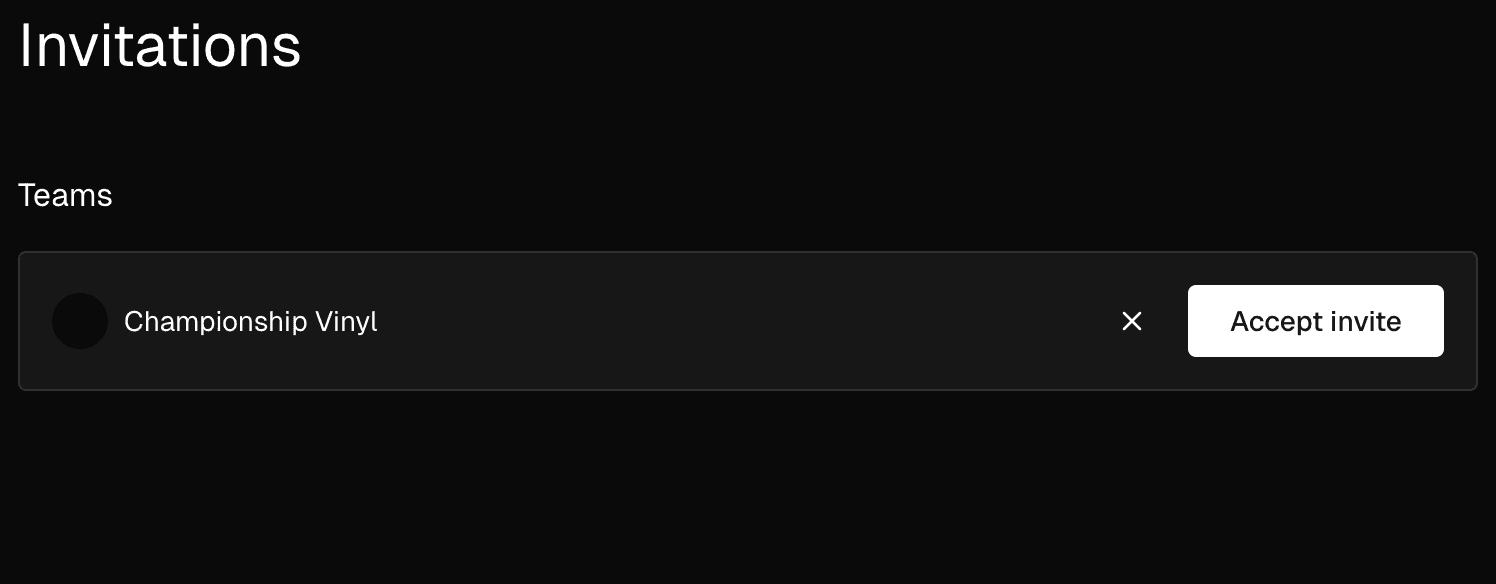
Review and respond
You can view the organization name and logo here.
If you’d like to join this team, click Accept invite.
If you don’t recognize the team or you don’t want to join, click the X button to reject the invitation.
If you reject the invite by mistake, please reach out to the team admin to send you a new invitation.
Start Collaborating
Once you accept, the organization will appear in your dashboard.
You can now switch between organizations by clicking the team name in the menu on the left of the page.
FAQs
My invitation link isn’t working.
Links expire after 7 days. If your link has expired, please reach out to your team admin or owner and ask them to resend your invitation.
Invitation links won’t work again after you accept them successfully. If you’ve tried accepting the invitation within 7 days of receiving it, please try heading to https://app.trackdrop.com/ and logging in using your email address and the one-time passcode sent to you, as you may already be a member of this team. You can check this by clicking the team logo in the menu bar on the left and checking the list of organizations in the drop-down menu.
If you’re still unable to join using your invite link, please contact your organization’s admin and ask them to double-check your email address and profile status.
I want to use a different email address.
Invitation links are unique, and will only work for the email address they were sent to. If you’d like to use a different email address or connect additional email addresses, please contact your team administrator and ask them to send you a new invitation email.
I want to invite additional users.
It’s not currently possible to invite additional users by forwarding the invitation email or link. Please invite more members via the dashboard, or ask an admin or the organization owner to action this for you. You can find more information about inviting members to your team here [Link to 'Inviting members to your organization'].
I want to leave a team that I joined.
Please reach out to the organization admin to ask to be removed. If you’re unable to resolve this directly with the admin or owner, please contact our Support Team at support@trackdrop.com.