Subscriptions and billing
Adding credit using a promo code
How do I redeem my code?
Get started by creating your Trackdrop account. Sign up here: https://app.trackdrop.com/sign-up
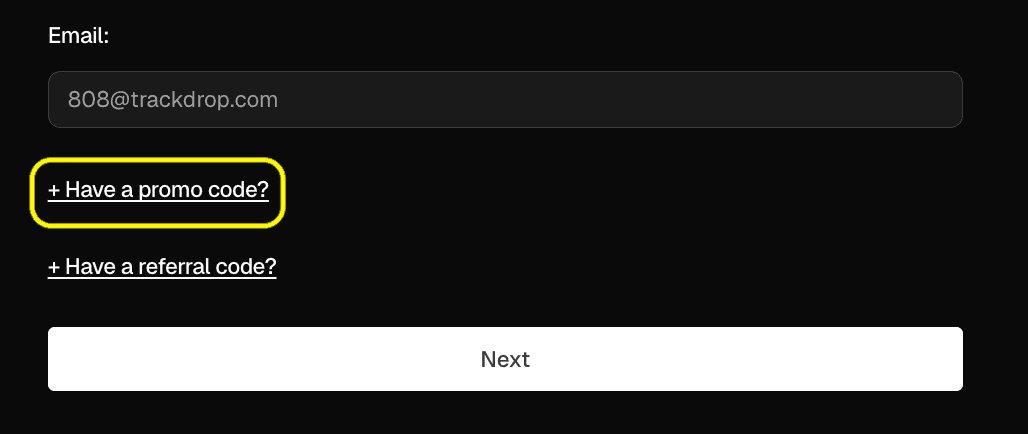
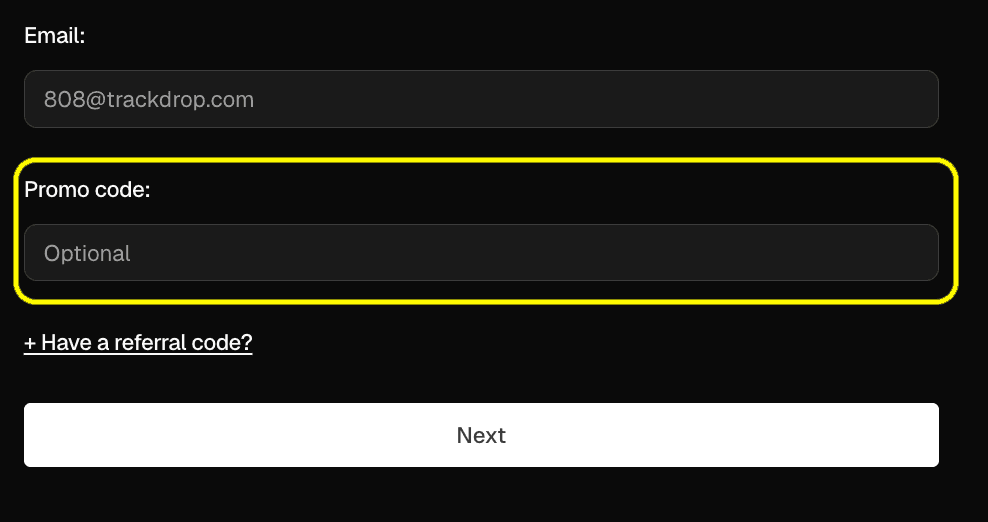
You can enter your promo code during the sign-up process, as shown here:
How are my credits used?
Your credit will be allocated to your account immediately, and will be shown as ‘pending’ until you send your first promo. On your Billing page, you will see a notice confirming that credit is pending and will activate on your first send.
Once you send your first promo, your credits will be applied to your account automatically to cover your monthly costs and any overage charges. You don’t need to take any further action.
For more information, please see: FAQ: Billing and credits
Why isn’t my code being accepted?
Codes are case-sensitive, and we recommend double-checking that it’s been entered correctly.
You may also want to review the eligibility terms for your promo code. For example, the code may be for first-time users only, and it wouldn’t be possible to apply the code to an existing Trackdrop account.
If your code is valid and you’re still unable to apply it, please contact us. Make sure to confirm your email address, organization name, and the promo code you’re trying to apply.
Where can I see my credit amount?
You can view your credits any time on the Billing page of your account settings.
If your credits appear to be missing, reach out to our Support Team for help.
Do I need to provide my card details to get started?
You can get set up on Trackdrop without entering any payment information. Your monthly subscription and any overage charges will be deducted from your credit balance.
You don’t need to enter any payment details until your credit falls below the balance needed for your usage. You can check your credit balance and add your card details when you’re ready here.