Subscriptions and billing
Referrals
Our referral programme lets you invite other artists, labels, and organizations to Trackdrop and earn credit when they join. When someone signs up using your referral link, both of you receive credit on your accounts.
Where to find your referral link
If you’re logged into Trackdrop in your browser, you can click here to find your referral link. Or, find it via your dashboard:
Log in at app.trackdrop.com
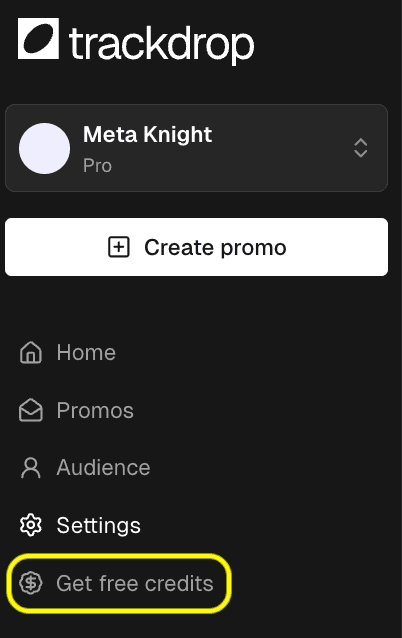
Click ‘Get free credits’ in the sidebar
Copy your unique referral link by clicking the ‘Copy link’ button, or highlighting and copying the referral link in the text box.
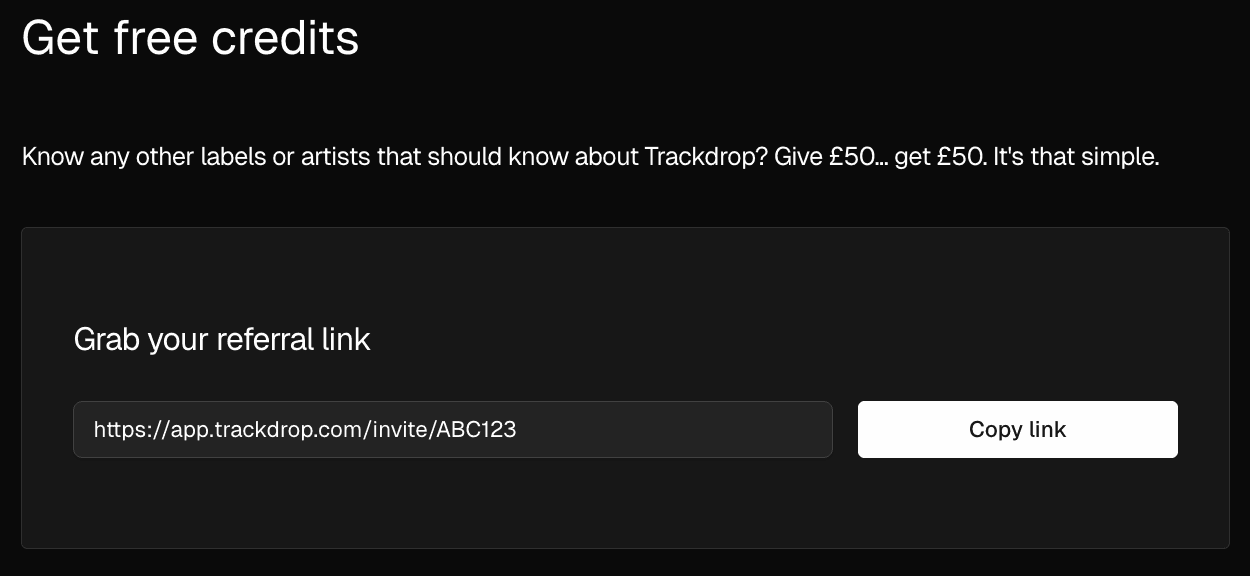
Share it however you like: directly via email or message, in a social media post, or anywhere else.
After sharing the referral link
Receiving the referral credits
Once the person you’ve shared the link with creates their account, you’ll both be credited automatically - no further action needed!
Tracking referrals
The Referrals page shows an activity feed of everyone who has signed up using your link, along with when their credit was granted. Each entry displays your organisation's logo alongside the referral so it is easy to identify which conversions came from your link.
My referral credit is missing
If you have questions about a specific referral that did not appear as expected, please contact support, including the referred account's email address and the date you shared the referral link with them.