DJs and Curators
Can I download tracks?
If the artist or label has enabled downloads for their promo, you can download tracks directly from the promo page.
All you need is access to the email inbox the promo was sent to.
How to access downloads
Open the promo email you received and click the link inside.
You'll be asked to verify your identity.
A 6-digit code will be sent automatically to your email address. Enter it to unlock the promo.
You can also click the verification link in that email instead of typing the code manually.
Once verified, you'll land on the promo page where you can listen to tracks and download them.
Downloading individual tracks
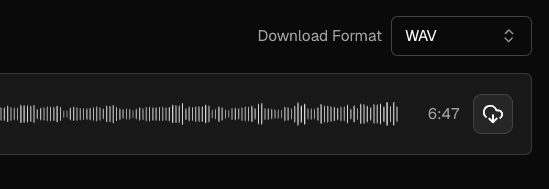
Next to each track in the list, you'll see a download icon (a cloud with a downward arrow). Click it to download that track in your chosen format.
Downloading everything at once
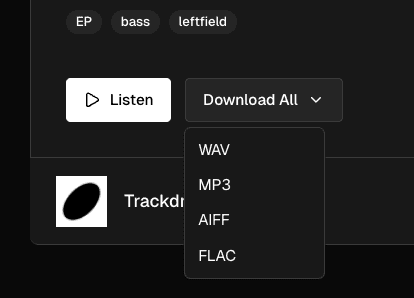
At the top of the page, click the Download All button and choose your preferred format from the dropdown. All tracks will download as a single ZIP file.
What if there's no download option?
If you can't see any download buttons, the artist or label has set this promo to streaming only. You can still listen to the tracks online, but downloading isn't available for this release. Reach out to the person who sent you the promo if you need downloadable files.