General
Trackdrop vs Mailchimp: Which platform is right for my music releases?
If you're a music artist or label looking to promote your releases, you may have come across both Trackdrop and Mailchimp. Both of these tools are designed to send emails, but they're built for very different purposes.
In this guide, we’ll break down the key differences, strengths, and limitations of each platform so you can make an informed decision.
Overview
What Is Trackdrop?
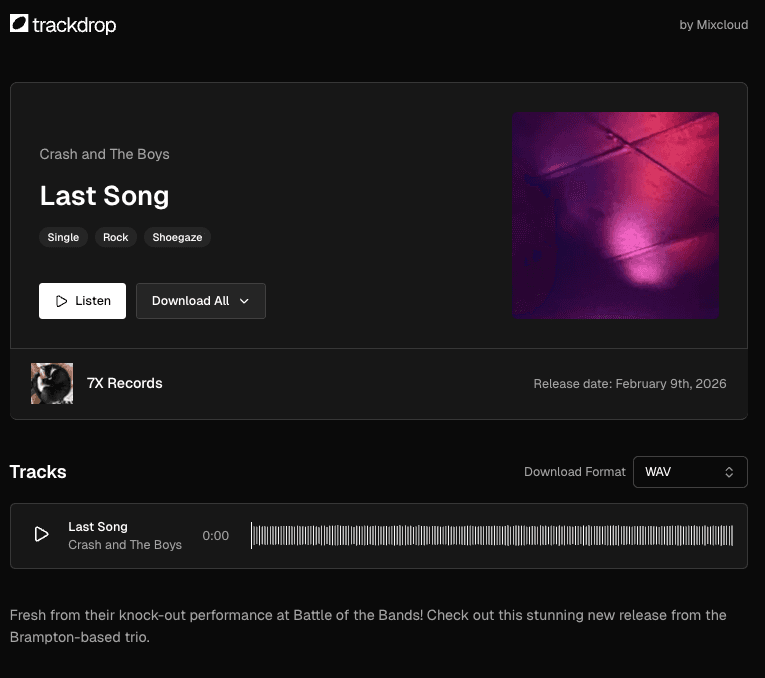
Trackdrop is a music promo and distribution platform designed specifically for record labels and independent artists. Instead of sending a generic newsletter, Trackdrop lets you deliver the music itself via a clean email and promo page with a built-in audio player, download options, and full engagement tracking.
Each promo in Trackdrop is a self-contained release package: cover artwork, track metadata, audio files (with optional protected downloads), and a dedicated page exclusively for your contacts to visit to check out your latest release.
What Is Mailchimp?
Mailchimp is one of the most widely used general-purpose email marketing platforms. It's designed for businesses of all types to send newsletters, promotional campaigns, and automated email sequences to subscriber lists. Mailchimp offers a drag-and-drop email builder, audience segmentation, automation workflows, and basic analytics covering opens and clicks.
Key features
Creating and sending a promo
Trackdrop is built around the concept of a promo: a music release you want to share with your contacts. You can create and send your promo in four easy steps:
Upload: Add your audio files. Trackdrop automatically encodes them into multiple formats and bitrates for playback compatibility. You can also upload your cover artwork here.
Release details: Enter the release title, artist name, release type (Single, EP, or Album), release date, and a description for your contacts. Select whether you want your recipients to be able to download your release.
Audience: Choose which contacts or groups to send this promo to.
Review & Send: Preview your promo, send a test email to yourself, and confirm before sending.
Once sent, each contact receives a personalized email linking to a clean, music-focused promo page. This dedicated page showcases the artwork, track listing, and play/download controls.
Mailchimp is a generalist platform. You start with a blank campaign, choose a template, and build your email using a drag-and-drop editor.
You can embed links to external audio (Spotify, SoundCloud, etc.) but there's no way to host audio files directly or track whether someone actually listened or downloaded your content.
Audio playback and content protection
Trackdrop hosts your audio files directly on the platform, and makes them available through a clean promo page that your email recipients can access. Your contacts can:
Stream tracks directly in the browser with a waveform-based audio player.
Download tracks in the available formats (if you've enabled downloads for that release).
You can configure each release as streaming only or streaming and download, so you have control over how recipients can interact with your content.
You can upload unlimited tracks to Trackdrop, and you can include up to 20 tracks per promo you send out.
The platform is enhanced with protection features to help prevent unauthorized contacts from streaming or downloading your content, making it ideal for sharing pre-release or exclusive music without worrying about it being redistributed freely.

Mailchimp doesn’t offer built-in audio hosting or playback.
Any audio you want to share must be hosted elsewhere (SoundCloud, Spotify, your own server) and linked in your email.
Audience management
Trackdrop gives you straightforward tools to build and manage your contact list directly within the platform. You can:
Add contacts manually (name and email address).
Import contacts in bulk via a CSV file.
Organise contacts using custom audience tags so you can target specific groups (e.g., "Press", "Fans", "DJs") for different promos.
View each contact's subscription status, verification status, and engagement history.
View email delivery statuses so you can keep your contact list healthy and understand your audience.
Mailchimp offers a fully-featured CRM-style contact management system, with lists, segments, tags, custom fields, and advanced filtering.
It also supports integrations with e-commerce and CRM tools to pull in subscriber data automatically.
Analytics and engagement tracking
Trackdrop gives you music-specific engagement data that traditional email platforms simply can't provide:
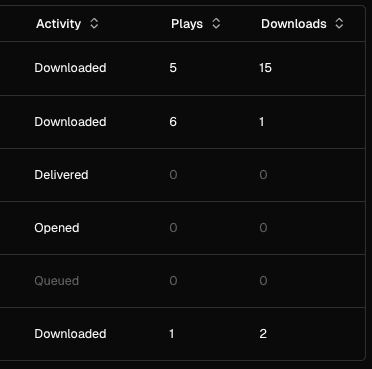
Email metrics: Sent, delivered, opened, clicked, bounced, and spam reported (per contact and per promo).
Content metrics: How many times each track was played and by whom.
Download metrics: Individual file downloads and full-release ZIP downloads, tracked per contact.
Geographic data: Where in the world your plays and downloads are coming from.
On the promo overview page, you'll see a live summary of your promo's performance (including total audience size, play count, download count, and email open rate), all updating in real time as contacts engage with your release.
Mailchimp tracks email opens, link clicks, bounces, and unsubscribes. It also has some geographic data based on opens.
However, tracking for audio releases is limited as you can’t upload audio natively. For example, if your audience clicks a link to check out your track on another streaming service, you'd know the click happened, but couldn’t find out more about their activity once they left the email.
Email branding and customization
Trackdrop generates promo emails automatically. You set up your account with your organization’s branding, and add each release as a promo, so the platform can handle creating the emails and dedicated promo pages for you.
The email format is clean and consistent, and optimized to direct your contacts to your promo page quickly. No need to worry about tweaking an email template to perfection, so you and your recipients can stay focused on the music.
Mailchimp excels at email design flexibility, and is a great option when customization is your priority.
Its drag-and-drop editor gives you full creative control over layout, colours, fonts, imagery, and content blocks. You can build elaborate HTML emails, use pre-designed templates, or code your own from scratch.
Team collaboration
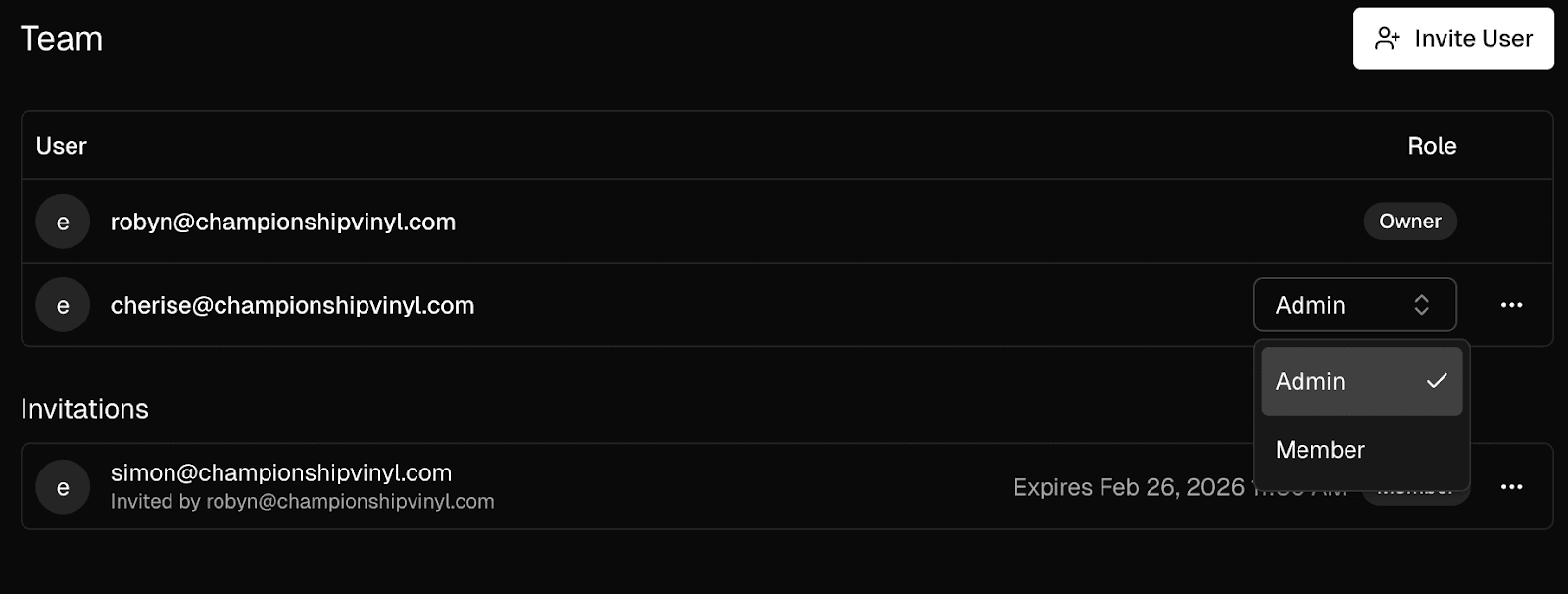
Trackdrop supports multi-user organisations. You can invite team members as admins or members so you can work collaboratively on your promos.
An activity log records who did what and when across your organisation, giving you a clear audit trail.
Mailchimp also supports multi-user access with role-based permissions, with more granular role controls on paid tiers.
Pricing
Trackdrop offers a usage-based model, so you pay for the emails you send, not for the size of your contact list.
Free tier: Start with complimentary credits so you can send your first promos straight away, with no upfront cost.
Pro plan: A monthly subscription that includes a generous email allowance, with low per-email overage costs for higher-volume senders.
This model is flexible to the needs of different promoters, whether you’re a label looking to send a high volume of releases to your subscriber list, an independent artist looking to periodically update a curated list of supporters, or anywhere in between.
Mailchimp's pricing is based on the number of contacts in your audience, with higher tiers unlocking features like automations, A/B testing, and advanced segmentation. A free tier is available for smaller lists with a monthly send limit.
Conclusion
Trackdrop is perfect for music promos, where the dedicated audio player and engagement analytics can add real value to your campaign.
Mailchimp and similar platforms are great for general communications, like newsletters or merchandise drops.
Choose Trackdrop if:
You're a record label, independent artist, or other creative distributing music promos to press contacts, fans, DJs, or tastemakers.
You want to know not just whether someone opened your email, but whether they actually played and saved your tracks.
You're sharing pre-release or exclusive music and want the reassurance of download protection.
You want a fast, streamlined workflow: just upload your tracks and release details, choose your contacts, and send.
Your focus is on targeting your promos directly to a high-quality list of contacts rather than mass broadcast marketing.
Choose Mailchimp if:
You're running general marketing campaigns, like newsletters, event announcements, and merchandise promotions.
You need full creative control over email design and layout.
You require marketing automations (welcome series, drip campaigns, re-engagement flows).
You need multi-channel marketing beyond email, such as social ads, landing pages, or SMS.
Ready to try Trackdrop?
If you're a music artist or label looking to distribute your releases and get real insight into how your audience engages with your music, Trackdrop is built for exactly that.
Get started today by signing up for free at https://app.trackdrop.com/.